
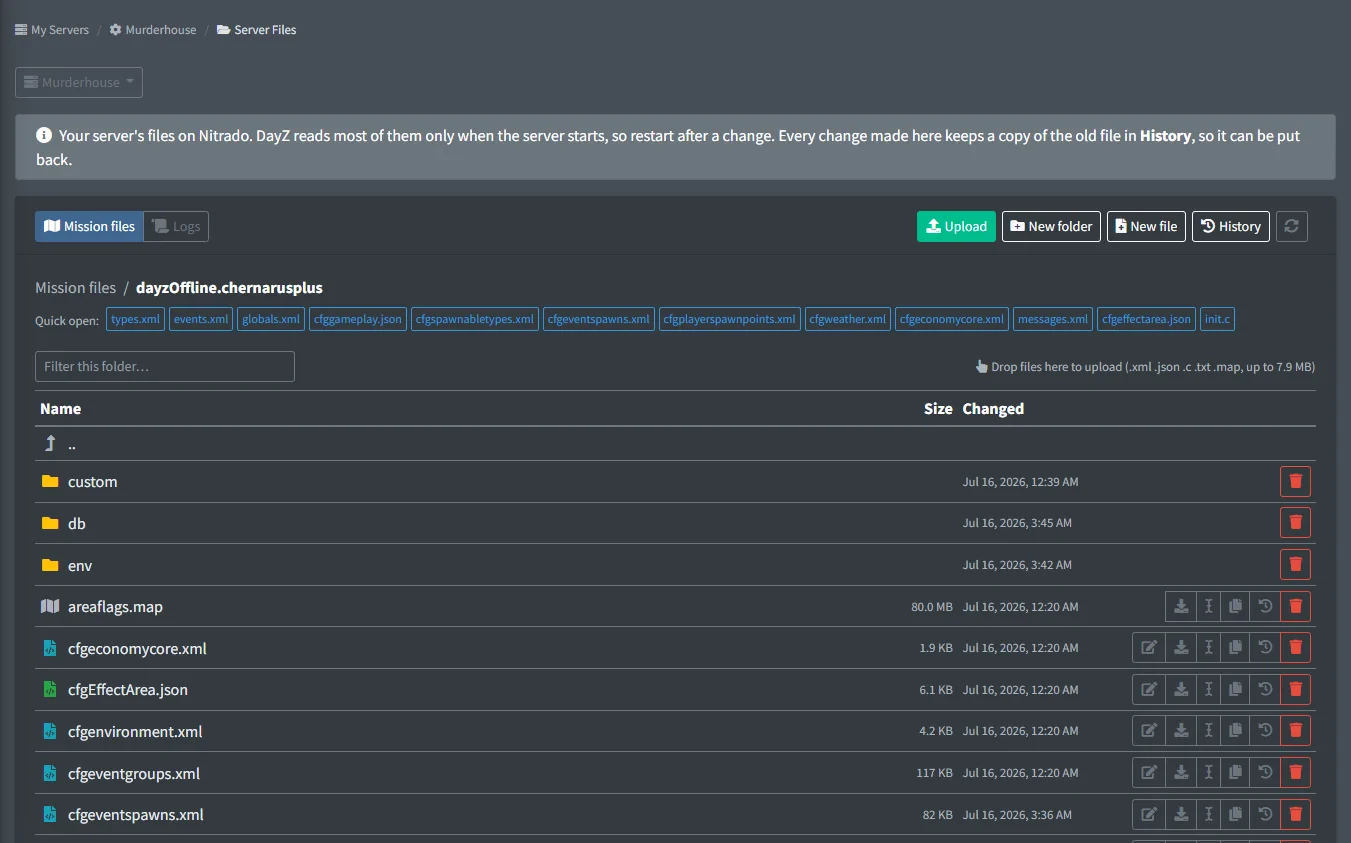
Console servers on Nitrado have no FTP, and Nitrado's file browser gives you raw text. Server Files opens your Xbox or PlayStation server's mission folder and logs in the dashboard, through the same Nitrado connection the bot uses.
Every file is checked when you open or upload it. The checker explains problems in plain words, with the line: a missing closing tag, a typo in a category name, min above nominal, a file listed in cfggameplay.json that isn't on the server. Every change keeps a copy, so the last 15 versions of each file can be downloaded or put back.
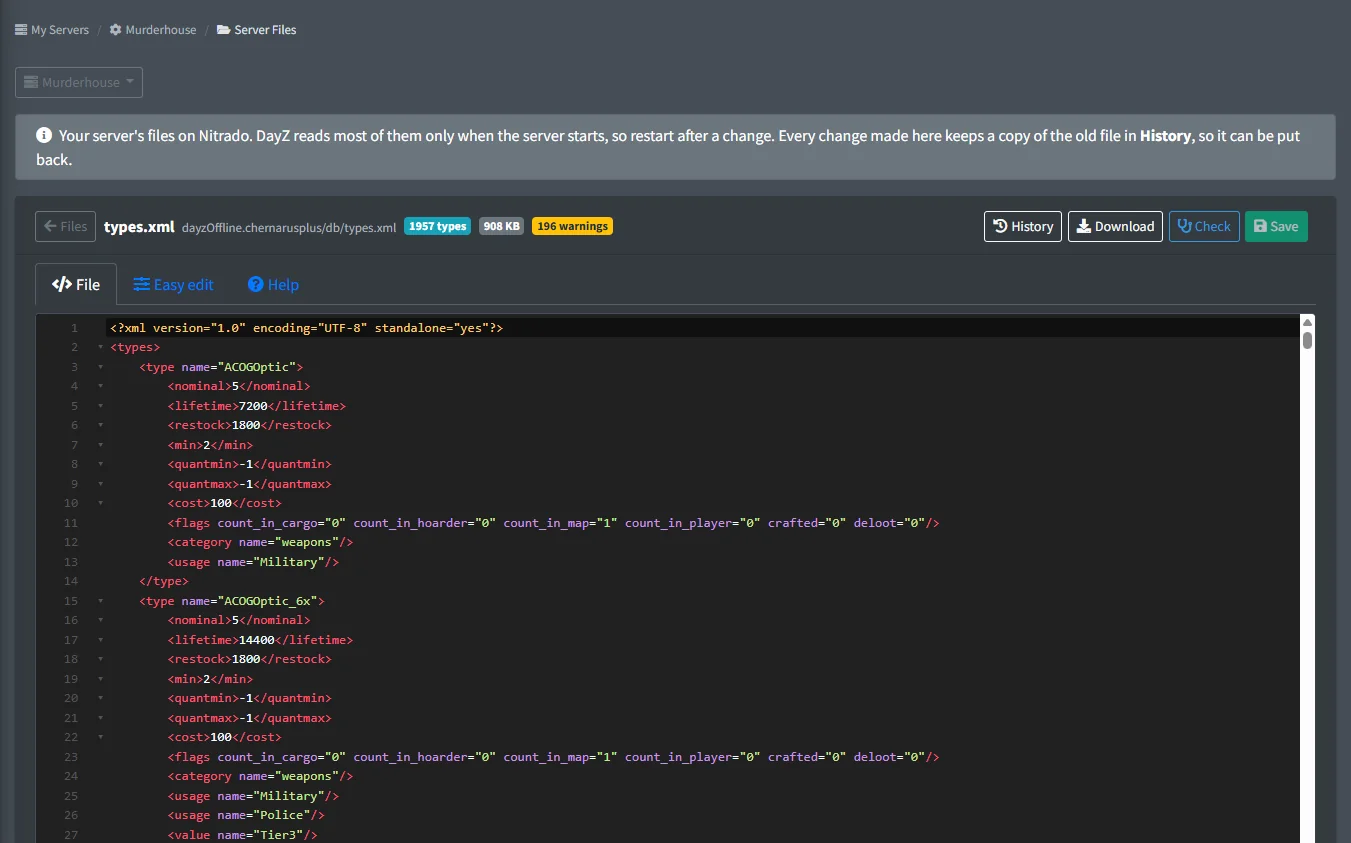
On the paid plan you edit right in the page, with an editor that marks errors as you type and easy-edit forms for 19 kinds of files. DayZ reads most files only when it starts, so restart the server after a change.
On PC? The free DayZ server tools run in your browser, the item reference lists every vanilla item, and the guides explain each file.
FreeFree plan
- Browse, upload and download mission files and logs
- The file checker on every file you open or upload
- Version history: download or put back the last 15 versions
Paid plan: Edit files in the page, easy-edit forms for 19 kinds of files, and new files from templates.
What you get
Browse and upload
Your mission folder and logs, with drag-and-drop upload, download, rename, copy, new folders and delete. Logs are read-only.
File checker
Errors that stop DayZ reading a file, likely mistakes and hints, each with its line number. Covers XML and JSON syntax plus DayZ's rules for types, globals, spawnabletypes, cfggameplay.json, init.c and more.
Version history
Every save, upload, rename, delete or restore keeps the old file. Download or put back any of the last 15 versions.
Check all
One button checks every file of your mission at once and lists what it found, with a Fix button on the problems it can fix for you.
Editor
Paid plan: edit in the page with errors marked as you type, Ctrl+S to save, and a warning if the file changed on the server since you opened it.
Easy edit
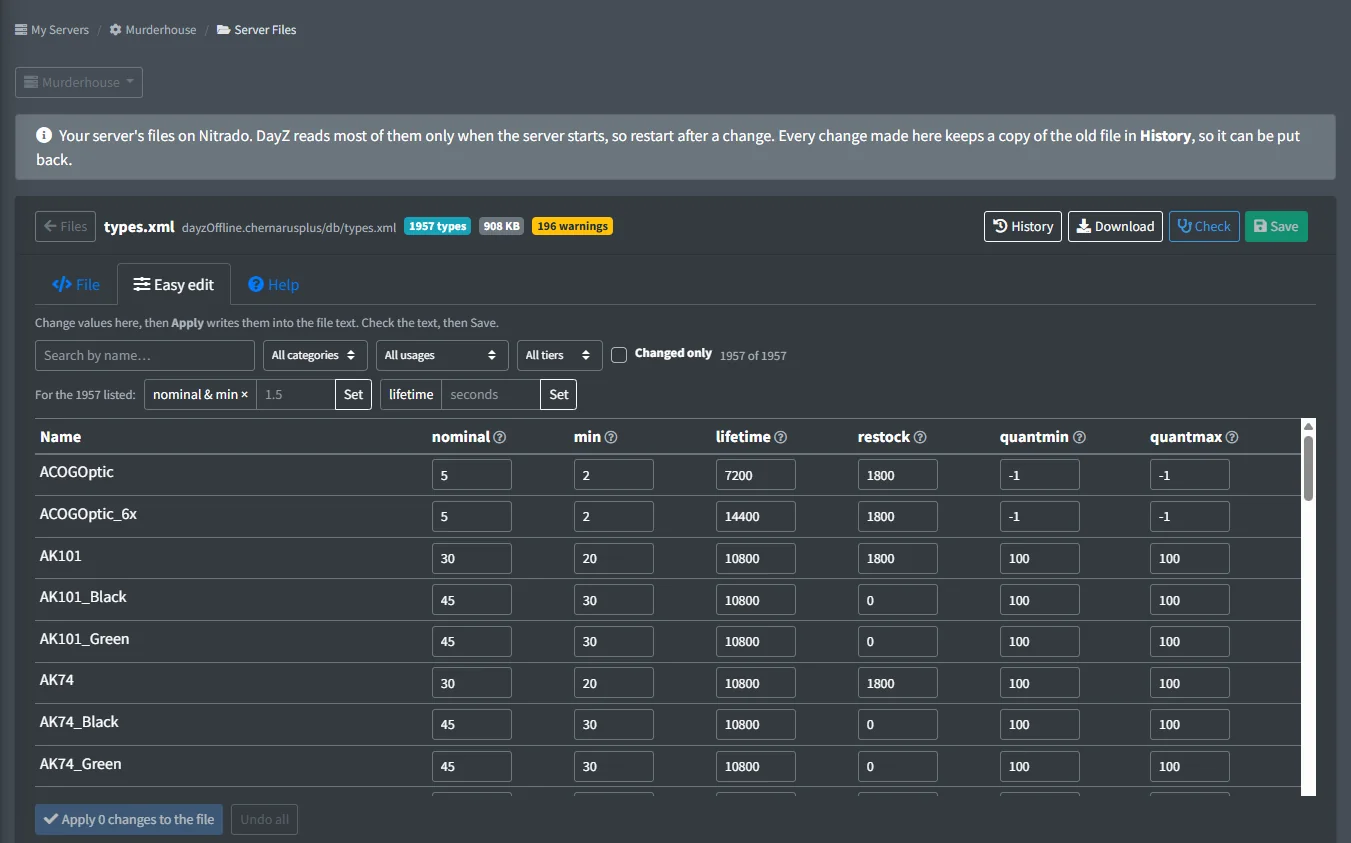
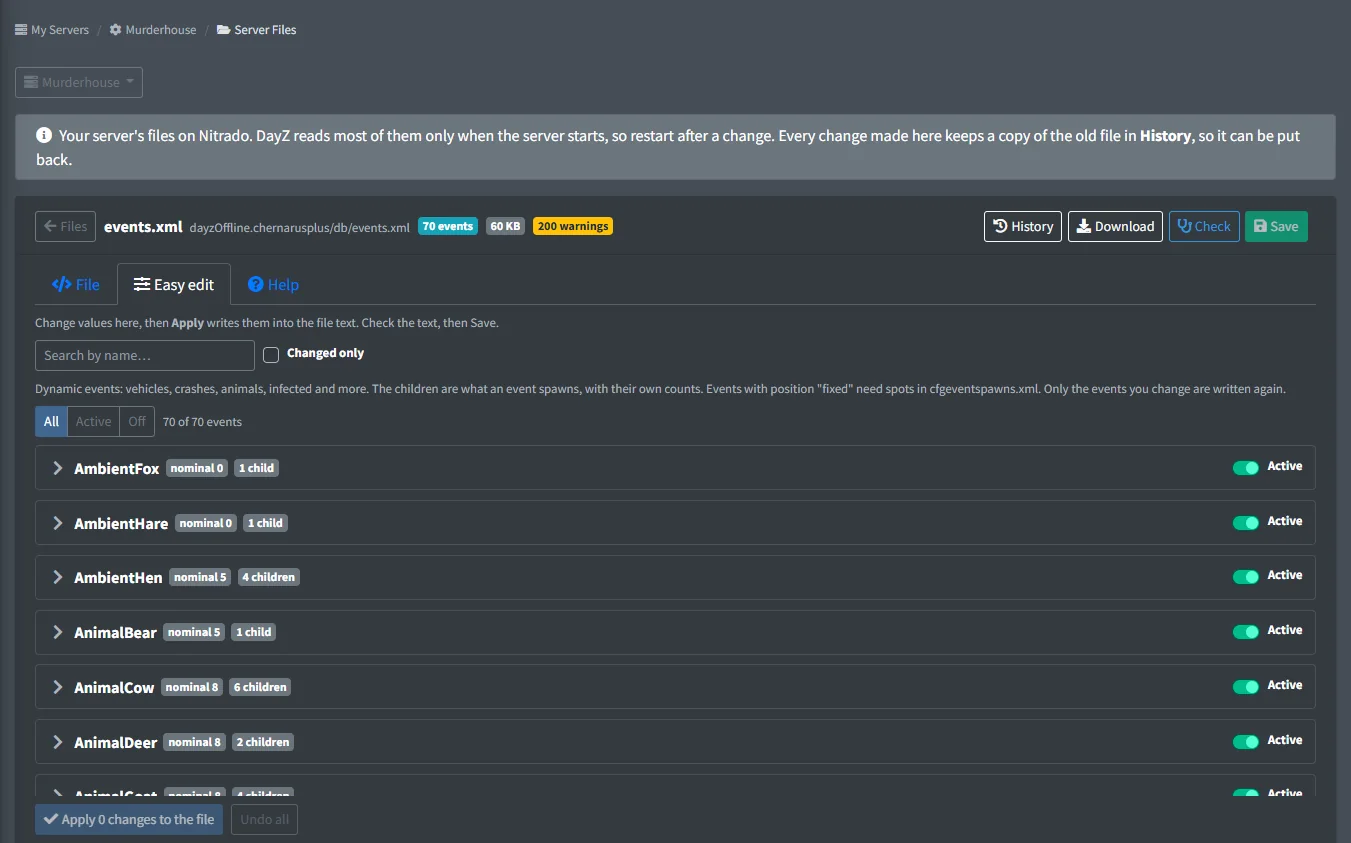
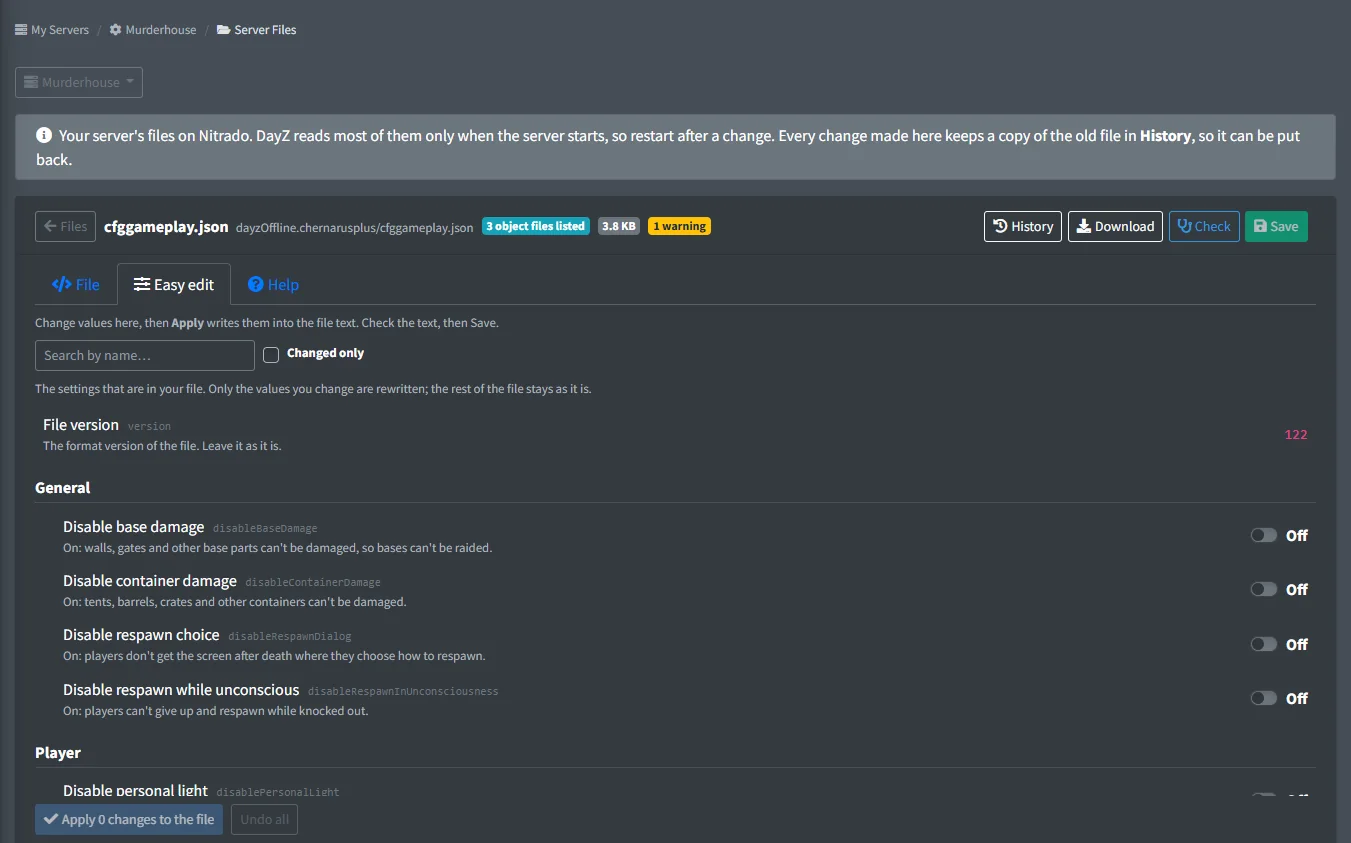
Paid plan: forms instead of raw text for types.xml, events.xml, globals.xml, cfggameplay.json, messages.xml, cfgweather.xml, cfgspawnabletypes.xml, cfgeventspawns.xml, cfgeffectarea.json, economy.xml, cfgeconomycore.xml, the ignore list, random presets, player spawn points, event groups, underground triggers, and object, loadout and restricted-area files.
types.xml as a table
Filter by category, usage and tier, change nominal, min, lifetime and restock, or scale nominal and min for many items at once.
Item names and what goes with them
Item boxes suggest class names from vanilla DayZ and your own types.xml. In cfgspawnabletypes.xml, What goes with it lists the attachments and cargo vanilla DayZ gives an item.
New files from templates
Paid plan: start an object spawner, spawn loadout, restricted area, custom types or custom spawnabletypes file from a template. Listing a file in cfggameplay.json takes one click on any plan.
Screenshots
Set it up
- Add the bot to your Discord server.
- Log in to the dashboard with Discord and connect your Nitrado account.
- Pick your DayZ server and the channels to post in. The bot creates the channels for you.
- In the dashboard, open your Xbox or PlayStation server and pick Server Files.
- Make your change, save, then restart the server so DayZ loads it.
Questions
Does it work on PC servers?
No. Server Files is for Xbox and PlayStation servers. On PC, use FTP or Nitrado's file browser; the free DayZ File Checker checks files in your browser.
Can I edit files on the free plan?
Yes, the long way: download the file, edit it on your computer and upload it again. The upload is checked and the old version is kept. Editing in the page and the easy-edit forms need the paid plan.
Do I need to stop the server?
No. Save while it runs, then restart it: DayZ reads most mission files only when the server starts.
Who can open Server Files?
The server owner, managers, and staff whose dashboard permission group includes the Server Files page.
Guides
Mods on DayZ Console Servers: What You Can Change Instead
Why console servers can't run mods, and the files and tools that get you most of what mods do.
Change DayZ cfggameplay.json Settings from Discord
The cfggameplay.json switches you can flip from Discord on Xbox and PlayStation servers, and the keys each one sets.
Custom Spawn Loadouts on a DayZ Console Server
Write a loadout file, list it in cfggameplay.json and every fresh spawn gets your starting gear.
DayZ Underground Triggers (cfgundergroundtriggers.json)
The boxes that make bunkers and tunnels dark, what each value does and how to change them.
DayZ cfgeventgroups.xml: Objects That Spawn Together
How event groups place several objects at once, and how to add or change one safely.
DayZ Mission Folders for Chernarus, Livonia, Sakhal and Nasdara
The mission folder for each map and platform, and which file sits where.
DayZ types.xml: Nominal, Min, Lifetime and Loot
Every types.xml value in plain words, and the safe way to raise or remove loot.
DayZ events.xml: Vehicles, Crashes and Other Events
What each events.xml field does, how to get more of an event and how to turn one off.
DayZ globals.xml: Every Setting Explained
Every globals.xml value in plain words, grouped by what it changes.
DayZ economy.xml: What Spawns, Loads and Saves
The init, load, respawn and save switches for each part of the economy, and the risky ones.
DayZ cfgspawnabletypes.xml: What Spawns With an Item
How chances, presets and damage decide what comes with each item.
DayZ Contaminated Zones (cfgeffectarea.json)
What each cfgeffectarea.json value does, and how to add, move or remove a gas zone.
DayZ Fresh Spawn Points (cfgplayerspawnpoints.xml)
The spawn checks, grid and groups that decide where fresh spawns appear.
DayZ cfgweather.xml: Fog, Rain, Wind and Storms
What every cfgweather.xml setting does, and how to get rid of fog or rain.
Works well with
Nitrado Control
Restart and stop from Discord, scheduled tasks, raid mode, auto-start and log downloads.
Xbox & PlayStation
Everything the bot does, on Xbox and PlayStation servers, with no mods to install.
Trader Shop
A web shop for console and PC servers: players buy items, packs and vehicles with server money, orders spawn at their drop point.
Add it to your server
Free to add. No card needed.
