
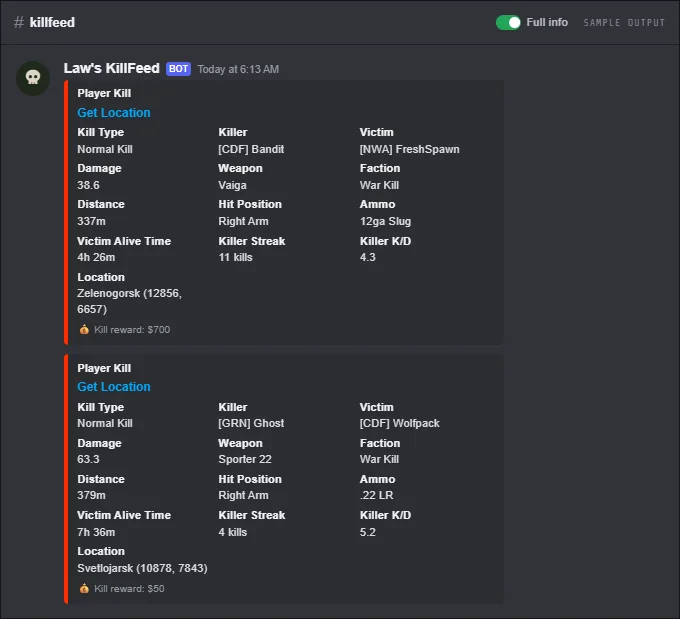
Law's KillFeed reads your DayZ server's admin log through your Nitrado account and posts every PvP kill to a Discord channel you pick. Each post shows who killed whom, the weapon, distance and ammo, the body part hit and the damage, and both players' K/D and streaks.
The bot checks the log every two minutes, so kills show up in Discord within a few minutes. It works the same on PC and on Xbox and PlayStation servers.
Every embed can be restyled in the embed editor. The free plan changes colours, titles and author text; the paid plan opens up descriptions, footers, custom fields and field order.
FreeFree plan
- PvP, long-distance, streak and Player Hits feeds
- Location links, faction tags, kill rewards
- Hit report images: 5 per user per day, 5 min cooldown
- Embed colours, titles and author text
Paid plan: 20 hit reports per user per day with a 15 s cooldown, and full embed editing: descriptions, footers, custom fields and field order.
What you get
Full kill details
Killer and victim with K/D and streaks, weapon, distance in metres, ammo, body part and damage. Players who helped are listed as assists with the damage they did.
Headshots and trades
A Headshot note when the killing hit was to the head, and a Trade note when both players died.
Multi-kills and revenge
Double, Triple and Quad Kill notes when one player kills again within 45 seconds, and a Revenge note when a player kills whoever last killed them, within 6 hours.
Location links
Turn locations on and every kill gets a map link and how far it happened from the nearest town.
Long-distance kills
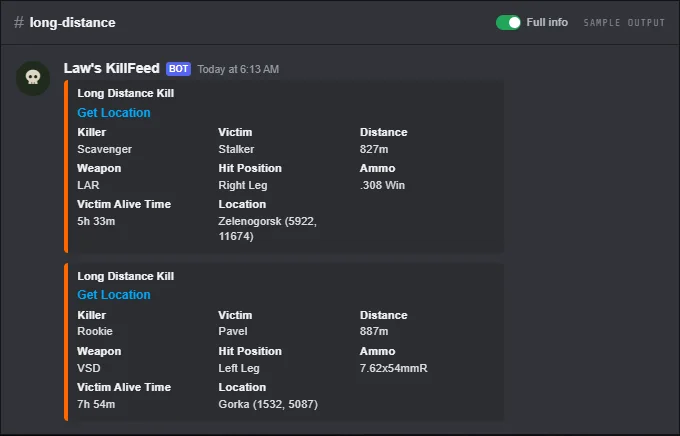
A separate channel for kills past a distance you set (200 m by default), with killer, victim, distance and weapon.
Kill and death streaks
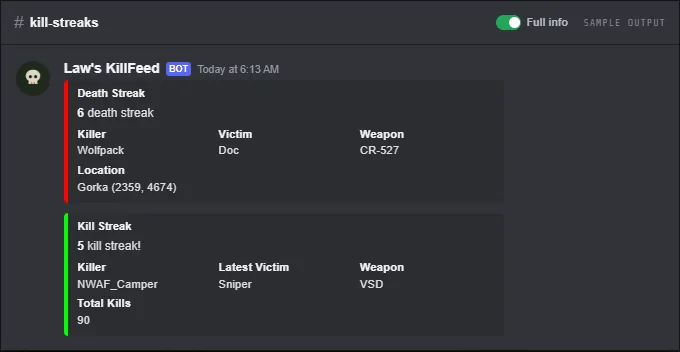
A post every time a player reaches 5, 10, 15 kills in a row, and the same for deaths in a row.
Spawn-kill flags
Kills shortly after the victim's last death (30 s by default) are marked as spawn kills. The killer gets a warning and no reward, and the kill does not count in stats.
Hit report images
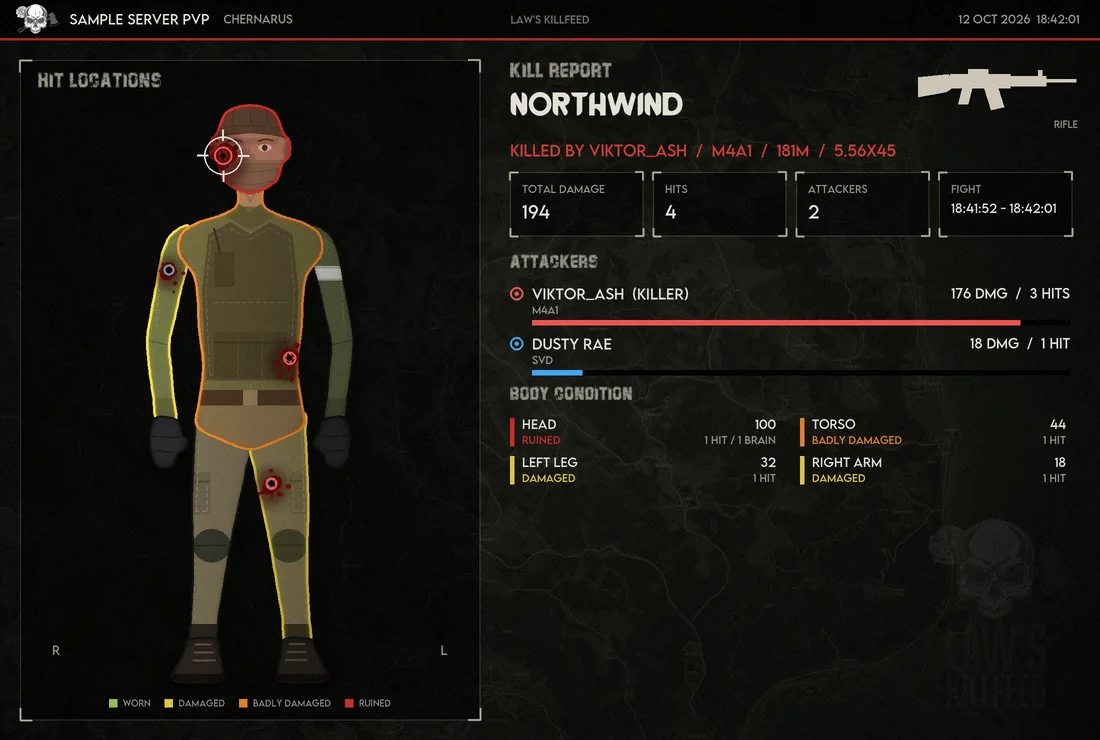
A button under each kill draws where the victim was hit, by whom and with what, on a survivor players dress themselves. See Hit Reports.
Player Hits feed
An optional channel with one card per fight: both players, every hit with its damage, how the fight ended and a hit report button. A fight ends after two minutes without a hit, so a fight where nobody dies shows up too.
Run-overs
A player run over by a car someone was driving counts as a PvP kill, with the vehicle as the weapon.
Public player pages
Player names in the kill feed and /stats link to the player's own stats page on dayzbot.com, no login needed.
Kill rewards
With the economy on, killers earn money per kill (optionally scaled by the victim's K/D) and can rob a share of the victim's cash.
Faction tags
Faction members show with their [TAG], plus a Team Kill, Friendly Fire or War Kill note when both players are in factions.
Admin kill channel
An optional staff channel gets every kill with the location link always on, even when the public feed hides it.
Screenshots
Commands
Click a command to see its options and an example.
-
/setupchannelLink kill feed functions to a channel. -
/setconfig feedsKill feed and PvP settings. -
/locationTurn location info in each feed on or off. -
/statsKill, death and streak stats for a player. -
/pvplogShow a player's fights (every hit, with a hit report) and kills of the last day. -
/heatmapPvP kill heatmap for the last hours.
Set it up
- Add the bot to your Discord server.
- Log in to the dashboard with Discord and connect your Nitrado account.
- Pick your DayZ server and the channels to post in. The bot creates the channels for you.
Questions
How fast do kills show up in Discord?
The bot reads your server's admin log every two minutes and posts in batches, so a kill usually shows up within a few minutes. It can't be instant: Nitrado has to write the kill to the log first.
Does the kill feed work on Xbox and PlayStation?
Yes. It reads the same Nitrado admin log on PC, Xbox and PlayStation, so console servers get the same kill details as PC servers.
Why does a kill show Unknown for the body part or damage?
Hit details come from the hit lines in the admin log. When the log has no hit line for that kill, the bot can still show the weapon and distance, but not where the victim was hit.
Can I hide kill locations from players?
Yes. Locations are a toggle per feed. Turn them off for the public kill feed and add the admin kill channel, which always includes them.
Guides
Add a Killfeed to Your DayZ Xbox or PS5 Server
Connect your Nitrado console server to Discord and get kills, deaths and joins posted for free.
Add a Killfeed to Your DayZ PC Server
Connect your Nitrado PC server to Discord and get kills, deaths and joins posted, with nothing to install.
DayZ Admin Logs and Player List Logging on Nitrado
Find your server's .ADM admin log and turn on Player List Logging so positions, maps and online lists work.
Works well with
Hit Reports & Character Editor
A picture of every fight: where each shot landed, damage per body part, every attacker, on a survivor players customise.
Server Logs
PvE deaths, connections with combat-log checks, and a build log with location links.
Stats & Leaderboards
K/D, streaks, headshots and longest kill per player, with leaderboards that post themselves.
Embed Editor
Change the look of every feed post in a live preview: colours, titles, author text, descriptions, footers and fields.
Add it to your server
Free to add. No card needed.
