
Law's KillFeed edits your server's whitelist, ban list and priority queue on Nitrado directly from Discord, so staff don't need your Nitrado login. Every list has a menu plus quick commands to add, remove and search.
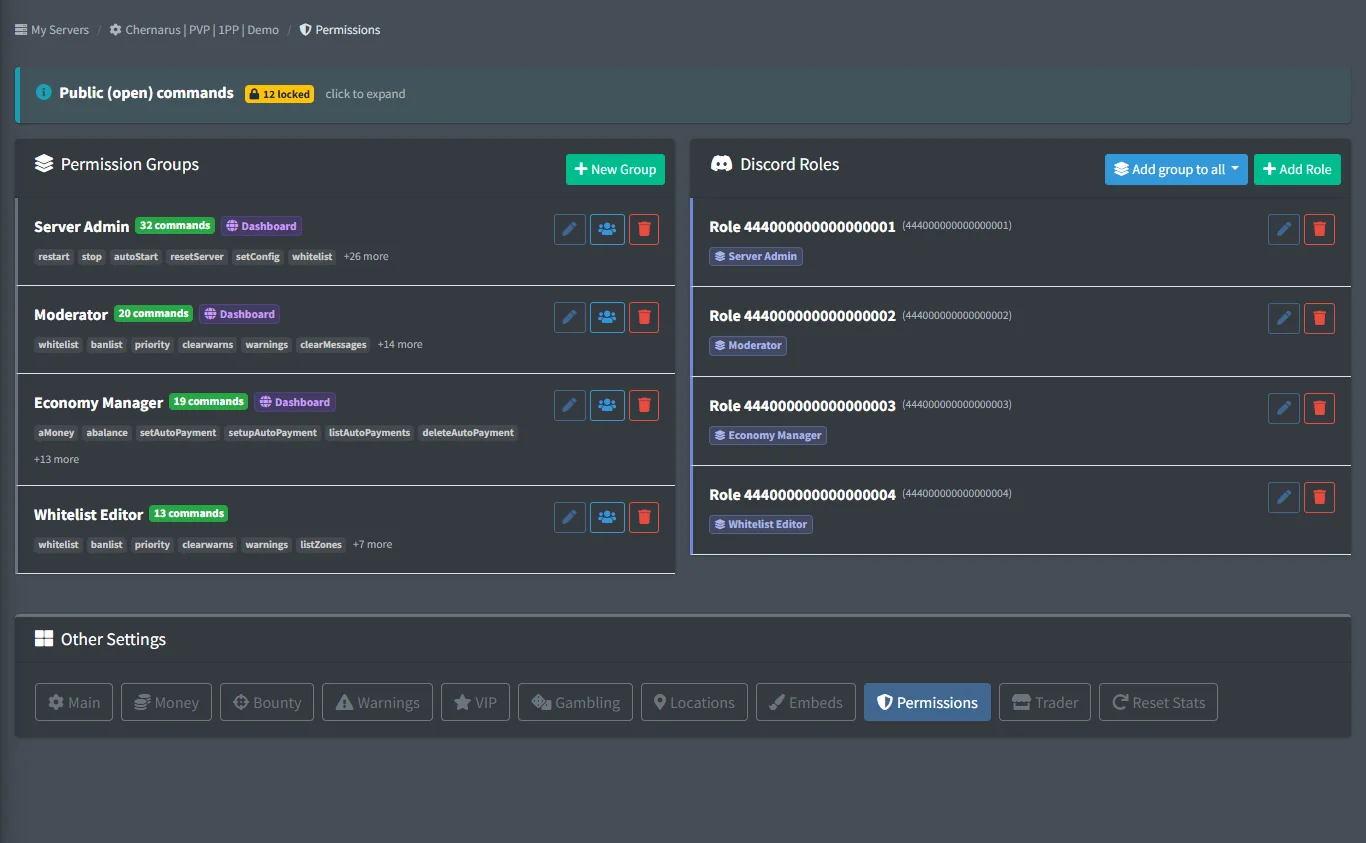
Permission groups decide who can do what. Link a group to a Discord role and pick exactly which commands it can run.
FreeFree plan
- Whitelist, ban list and priority editing
- Warnings and automatic flags
- 3 permission groups, owner plus 2 staff on the dashboard
Paid plan: Unlimited permission groups and dashboard staff.
What you get
Whitelist and priority
Add, remove, show and search players on your whitelist and priority queue.
Bans with history
Ban players for good or for a number of days; timed bans lift on their own. Check why and by whom a player was banned.
Warnings
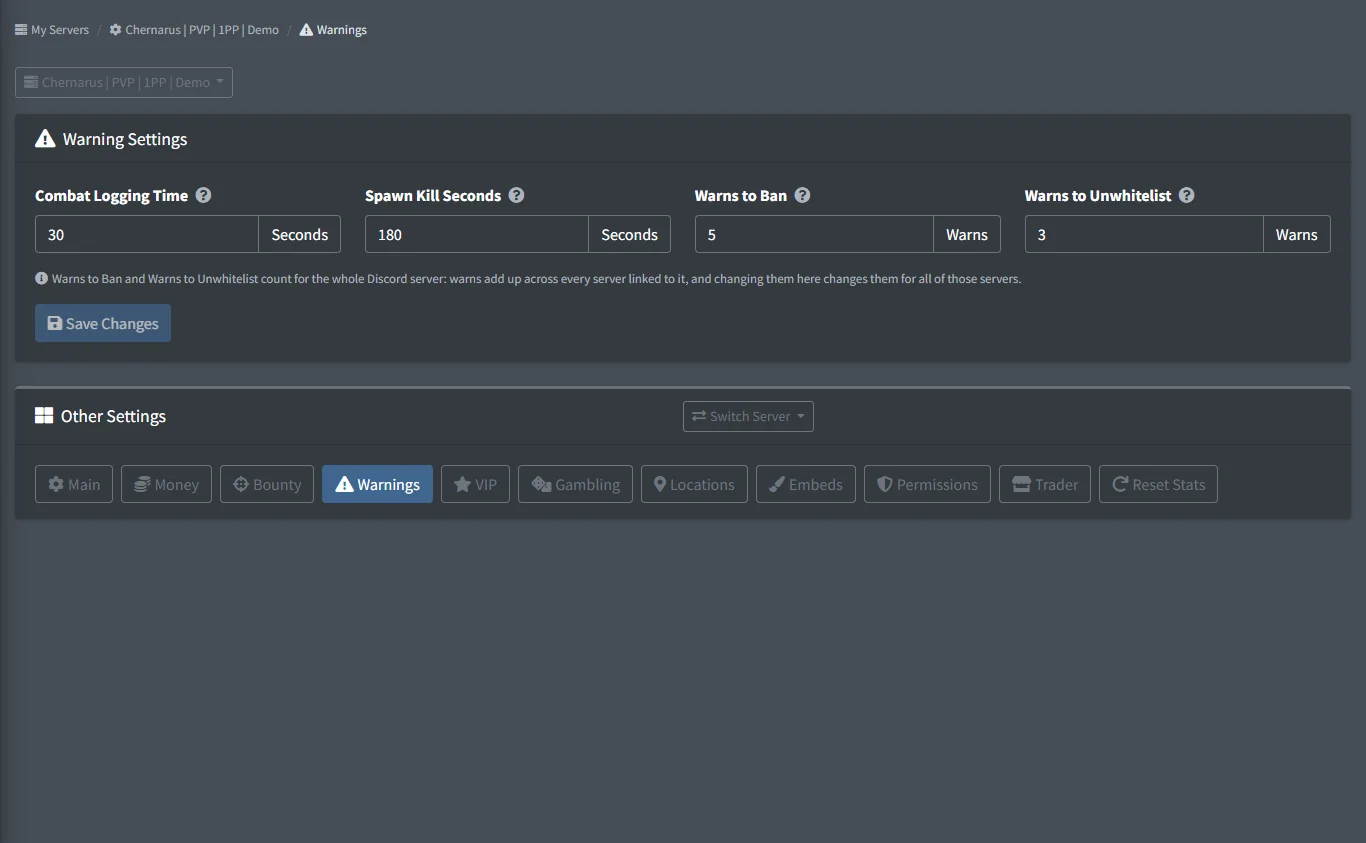
Warn players by hand and keep a history per player. Spawn kills and combat logging add warnings automatically, and limits you set ban or unwhitelist repeat offenders.
Server rules
Write your rules once and the bot enforces them: no spawn killing, no KOS outside PvP hours, no combat logging, no raiding outside raid time, with an alert, a warning, a kick or a ban. See Server Rules.
Ban evasion
On Xbox and PlayStation, a banned game account that comes back under a new gamertag gets the same ban, on every plan. See Behaviour Alerts.
Alt accounts
/alts lists the game accounts tied to one player through Discord (same linked account, verification matches) and the names each account played under, with linked Discord accounts and bans; the Admin Channel gets an alert when a player joins with their 2nd, 3rd, ... account or a new name (set on the Verification page).
Account linking
Players link Discord to their in-game name with /gt link, get a linked role, and their nickname can follow their game name.
Permission groups
Ready-made admin, mod and gatekeeper groups, or build your own and link them to Discord roles.
Screenshots
Commands
Click a command to see its options and an example.
-
/whitelist wmenuOpen the whitelist menu. -
/whitelist waddAdd players to the whitelist. -
/banlist baddBan players. -
/banlist bcheckCheck if a player is banned, why, and by whom. -
/priority paddAdd players to the priority queue. -
/warn addGive a player a warning. -
/warn listShow all warnings of a player, or everyone's warning count. -
/altsList the other game accounts of a player and how each is tied (same linked Discord account, verification match), the names each account played under on any server, where it played and its bans. Works for players of every server. -
/gt linkLink your Discord account to your in-game name. -
/perms creategroupCreate a permission group. -
/perms setrolegroupsAssign permission groups to a Discord role.
Set it up
- Add the bot to your Discord server.
- Log in to the dashboard with Discord and connect your Nitrado account.
- Pick your DayZ server and the channels to post in. The bot creates the channels for you.
Questions
Do my staff need my Nitrado login?
No. The bot edits the lists through your Nitrado connection. Staff only need a Discord role with the right permission group.
Can bans expire on their own?
Yes. Give a ban a number of days and the bot lifts it when the time is up.
Can admins use every command by default?
No. Commands outside the everyday player ones need a permission group, even for Discord admins, so you stay in control of who can ban or restart.
Guides
Make a Safe Zone on a DayZ Console Server
Draw a zone around your trader or spawn and ban or unwhitelist anyone who kills inside it.
Manage Your Nitrado Whitelist & Ban List from Discord
Add, remove and search whitelist, ban list and priority queue entries from Discord, with staff permissions.
Works well with
Server Rules
Rules the bot checks on every log: spawn kills, KOS outside PvP hours, safe zones, combat logging and raids, with an alert, a warning, a kick or a ban.
Behaviour Alerts
Alerts for teleporting, boosting, rapid fire, impossible shots and ban evasion, with ban, watch and path buttons.
Verification & Alts
Members verify with one click on the website; the bot compares browser, device and network with everyone who verified before and flags alts.
Support Tickets
A ticket panel with buttons and forms; each ticket gets a private channel, with claim, close and saved transcripts.
Add it to your server
Free to add. No card needed.
