
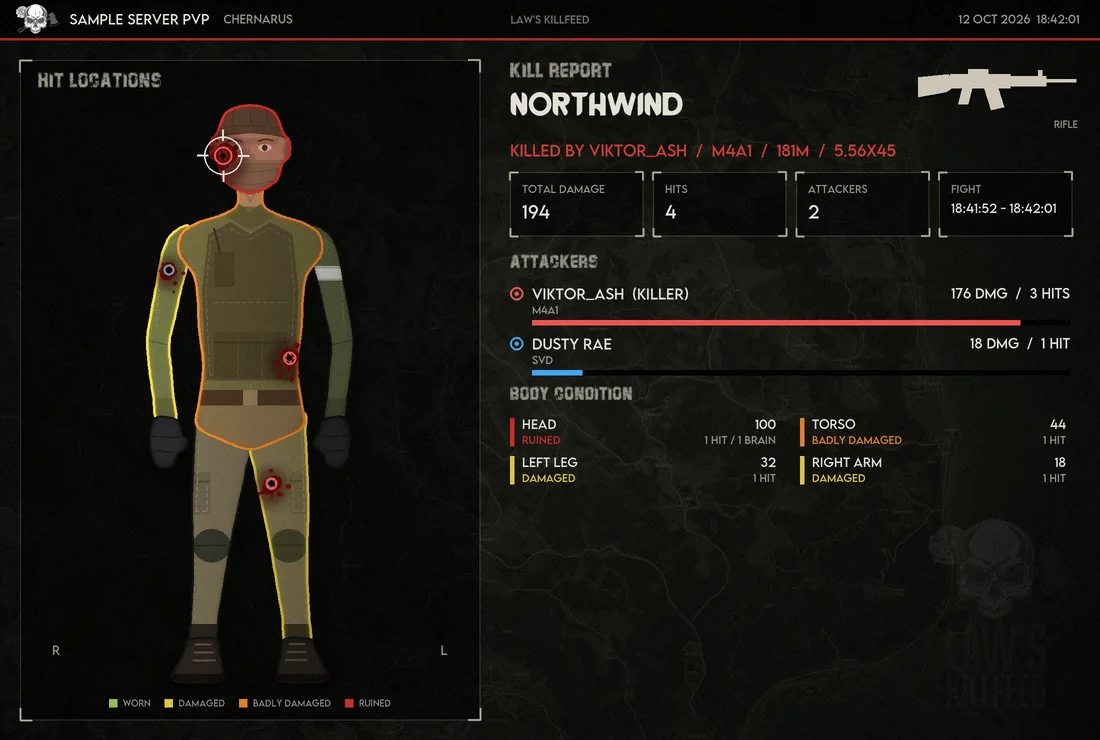
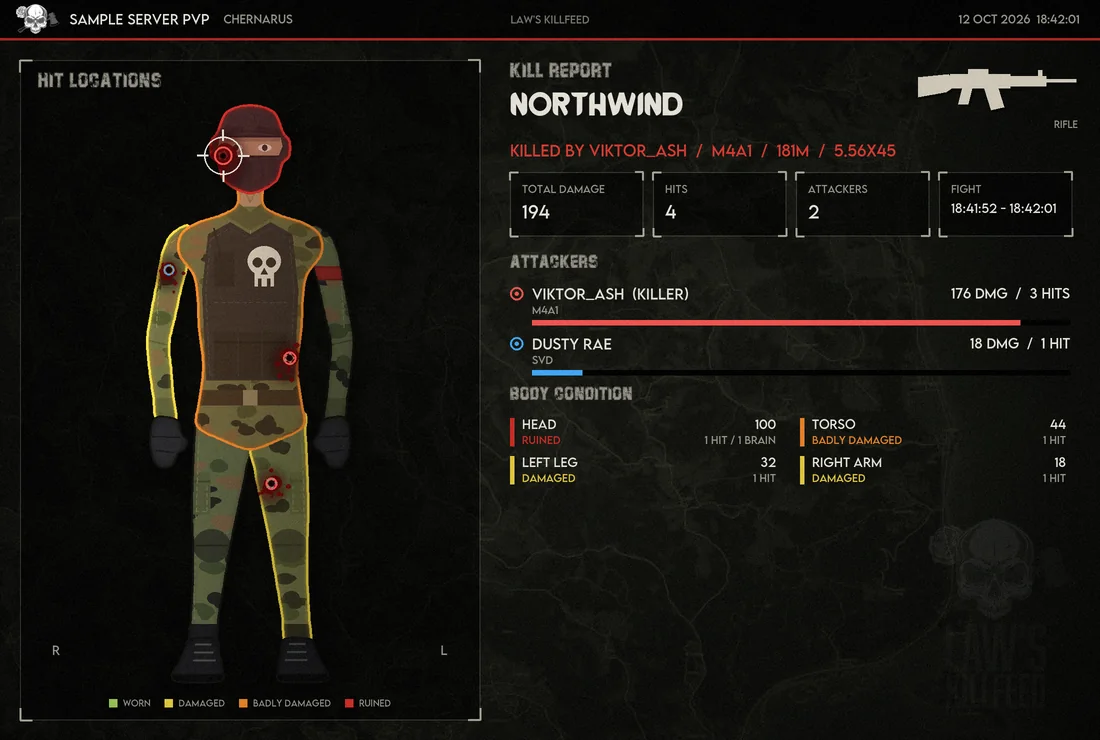
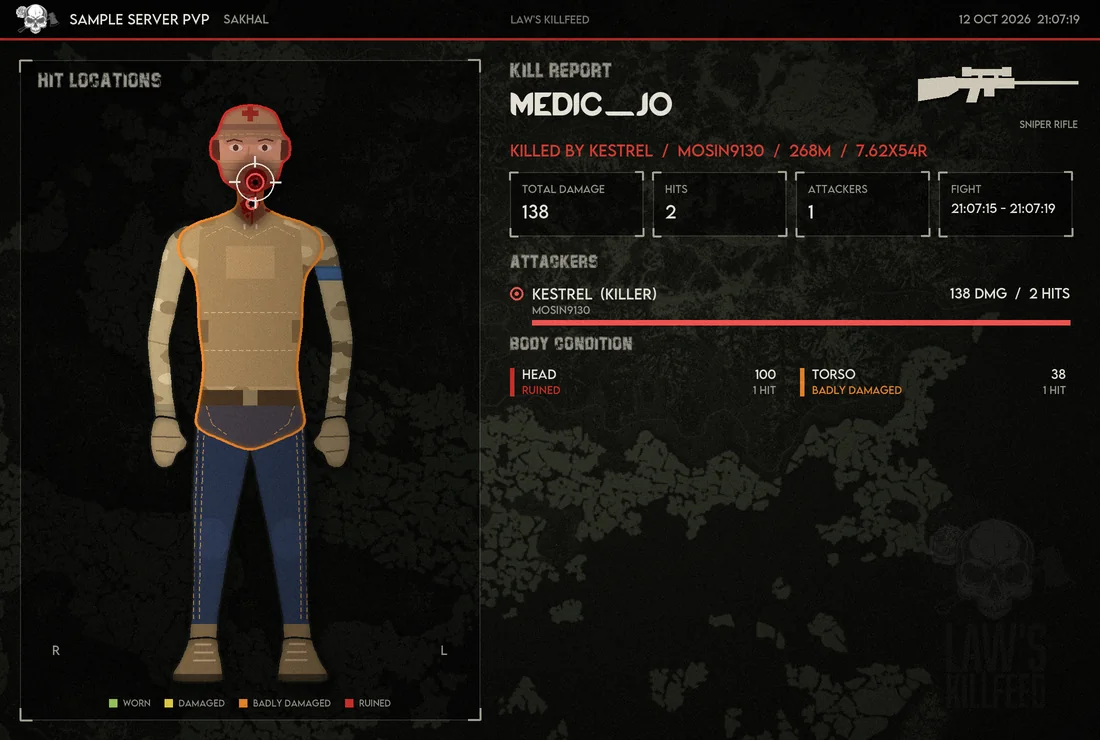
Every kill in the kill feed gets a Hit report button. Press it and the bot draws the fight in the style of the DayZ inventory: where each shot landed, how badly each body part was hurt, who did the damage and with which weapon.
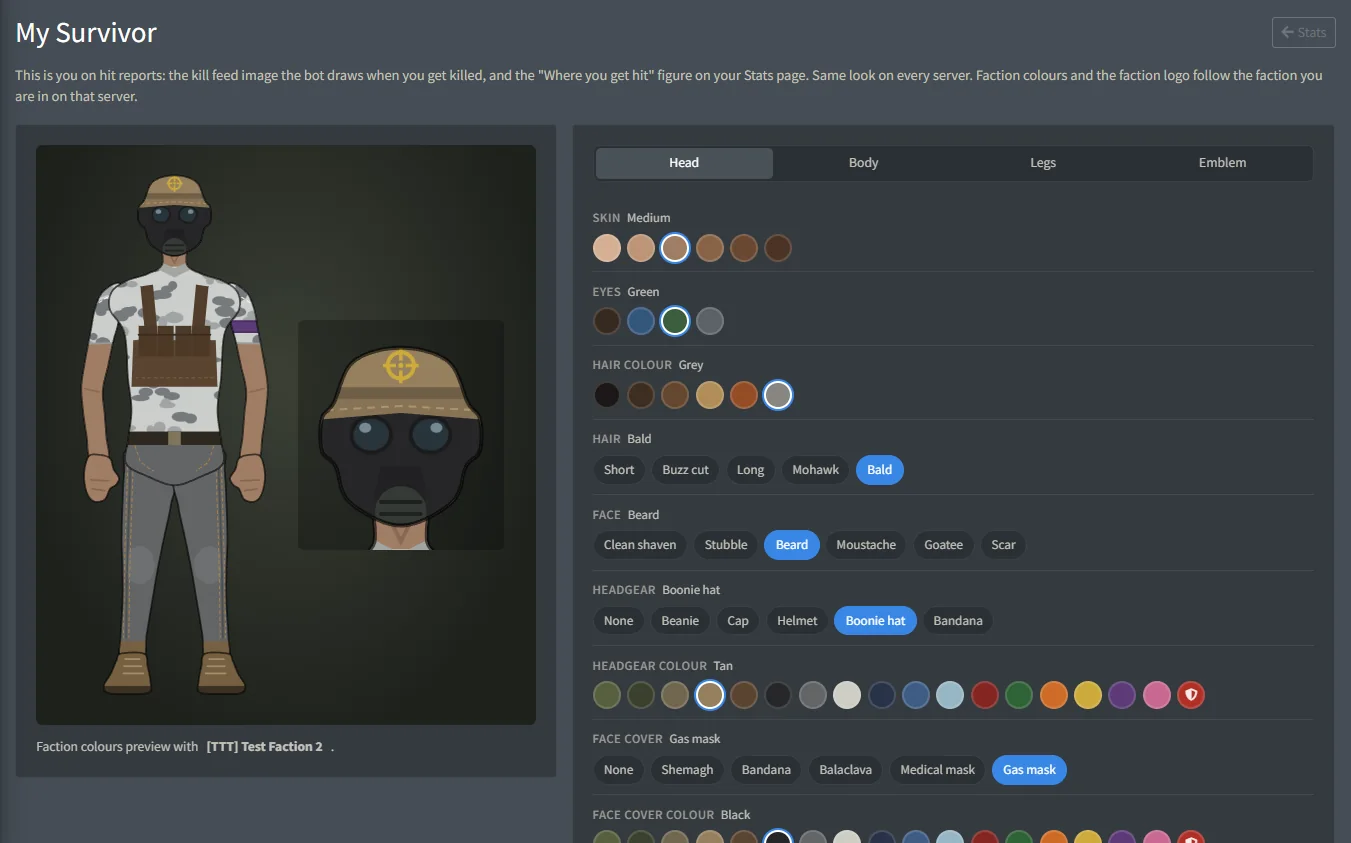
The survivor in the picture belongs to the victim. On Edit Character players pick their skin, hair, face, face paint, headgear, masks, eyewear, clothes, armour, gear and colours, add camo or their faction's colours and emblem, and every report where they die shows that survivor.
FreeFree plan
- Hit reports: 5 per user per day, 5 min cooldown
- Edit Character with every option
Paid plan: 20 hit reports per user per day with a 15 s cooldown.
What you get
Hit locations
Every hit marked on the body, the killing shot in a crosshair, and brain hits counted on the head.
Body condition
Damage per body part with DayZ's own labels: worn, damaged, badly damaged, ruined.
Every attacker
Everyone who hit the victim in the fight, with their weapon, damage and number of hits, and the killer marked.
Fight summary
Weapon, distance and ammo of the killing shot, total damage, hits and attackers, and when the fight started and ended.
Server and map
Your server name, the map and the date on every report, over the map the fight happened on.
Edit Character
Players dress their survivor on the website: 8 skins, hair styles and colours, faces and face paint, 14 kinds of headgear up to a burlap sack, face covers from a mime or hockey mask to a welding mask, eyewear and night vision, headsets, 10 tops, armour, backpacks, slings and bandoliers, belts, pants, footwear, knee pads and leg rigs, in 21 colours or 8 camo patterns.
Faction look
Use your faction's colour on any part of the survivor, and put its logo, a skull, a medic cross, a star, a crosshair, a heart, a lightning bolt, a peace sign, a radiation sign or claw marks on the chest, headgear or face cover.
On your stats too
Your survivor also shows on your stats page, with where you hit others and where you get hit, and on your public player page, where a link shared in Discord shows it in the preview.
Screenshots
Commands
Click a command to see its options and an example.
-
/gt linkLink your Discord account to your in-game name. -
/statsKill, death and streak stats for a player.
Set it up
- Add the bot to your Discord server.
- Log in to the dashboard with Discord and connect your Nitrado account.
- Pick your DayZ server and the channels to post in. The bot creates the channels for you.
- Hit reports are on by default: the button shows under every kill. Switch them off on the server's Plan & Extras page if you don't want them.
- Players link their in-game name with
/gt link, then dress their survivor on Edit Character.
Questions
Who can press the Hit report button?
Anyone who can see the kill feed. Each member has their own daily limit and cooldown.
Why doesn't my survivor show in my hit reports?
The bot finds your survivor through your linked in-game name. Link it with /gt link on that Discord, and save your look on Edit Character.
Where does the hit data come from?
From the hit lines in your server's admin log. When the log has no hit lines for a kill, the report has less to show.
Works well with
Kill Feed
PvP kills with weapon, distance, hit zone and damage, plus long-distance and streak feeds.
Stats & Leaderboards
K/D, streaks, headshots and longest kill per player, with leaderboards that post themselves.
Factions
Factions with ranks, a shared bank, alliances and their tag on the kill feed.
Add it to your server
Free to add. No card needed.
